Posture at your desk: how to stop a desk job draining your energy
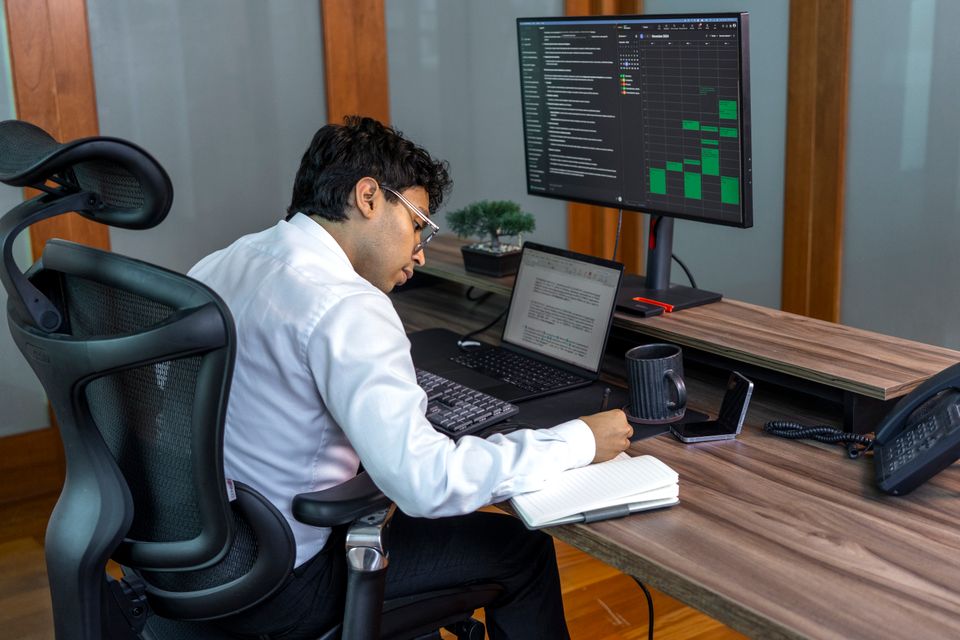
Posture at your desk affects more than your back — it also shapes how much energy you have left by evening. Here is how to set up your workstation, which breaks to take and which exercises help.
Posture at your desk is one of the main reasons your body feels "locked up" after eight hours of sitting and there is no energy left for the evening. A long-held position is not "harmful" in itself, but static tension in the neck, shoulders and lower back adds up to feeling drained by evening. Most often the problem is not your workouts but the workday itself.
Why is posture important for how you feel?
When you slouch for a long time, some muscles stay constantly tense while others "switch off". This uses up energy even if you have barely moved.
- Tension in the neck and shoulders by the end of the day.
- Stiffness in the lower back after sitting for long periods.
- A feeling of fatigue and heaviness, even without physical effort.
- Harder to concentrate in the afternoon.
Specialists at Cleveland Clinic note that a proper sitting position and regular changes of posture help you feel more comfortable at your desk.
Correct posture for sitting at a desk: how to set up your workstation
The key is not having to bend your body to fit the desk: monitor at eye level, feet on the floor, lower back supported. These adjustments take ten minutes and pay off every day.
- Top edge of the monitor at eye level or slightly below, screen about an arm's length away.
- Feet flat on the floor, knees at roughly 90 degrees.
- Lower back resting against the chair back, shoulders relaxed, not hunched up toward your ears.
- Keyboard and mouse placed so your elbows stay close to your body rather than splayed out.
- If you work on a laptop, put it on a stand and connect a separate keyboard.
What should you do during the workday?
Get up every 45–60 minutes. No perfect posture will save you if you hold it without moving all day.
A short pause — stand up, walk around, roll your shoulders, stretch your neck to the sides — does not eat into work time, but it noticeably reduces tension by evening. NHS directly advises sitting less and moving more during the day. An ordinary walk at lunchtime helps too, and some calls can be taken standing — for the pros and cons, read “Standing vs. sitting at work”.
Posture exercises you can do at your desk
Simple mobility and back-strengthening exercises help if you do them regularly. A few minutes during breaks and a short routine in the evening are enough.
- Shoulder blade squeeze: sitting upright, gently draw your shoulder blades back and down, hold for a few seconds, then relax.
- Chin tuck: without tilting your head, draw your chin straight back, as if making a "double chin".
- Backward shoulder rolls — slowly, with a large range of motion.
- Standing reach: arms overhead, stretch the crown of your head toward the ceiling.
- Cat-cow on all fours in the evening — for gentle spine mobility.
More neck exercises in “Neck stretches: how to release tension from desk work and phone use”.
How can you tell if poor posture at your desk has become a habit?
Check yourself midday: where are your shoulders, head and lower back right now? If your shoulders are raised, your head is craning toward the screen and your back is "hanging" without support, the position has already become automatic.
- Set an hourly reminder: "shoulders down, back against the chair".
- Ask a coworker or family member to take a side-view photo of you working.
- Pay attention to your posture with your phone — your head tilts even further there.
How do you get your energy back after a day of sitting?
Movement works best. In the evening after a sitting day, 10 minutes of light stretching works well: it releases the tension that has built up over the day.
- A walk after work instead of heading straight for the couch.
- Stretch the chest and the front of the thighs — the muscles that "shorten" when you sit.
- Proper sleep so the body has time to recover.
And for energy during the workday itself, some people use X39 or Energy Enhancer — a caffeine- and stimulant-free pair of patches that, according to the company, supports steady energy through the day.